
X post hover cards can load nothing from X
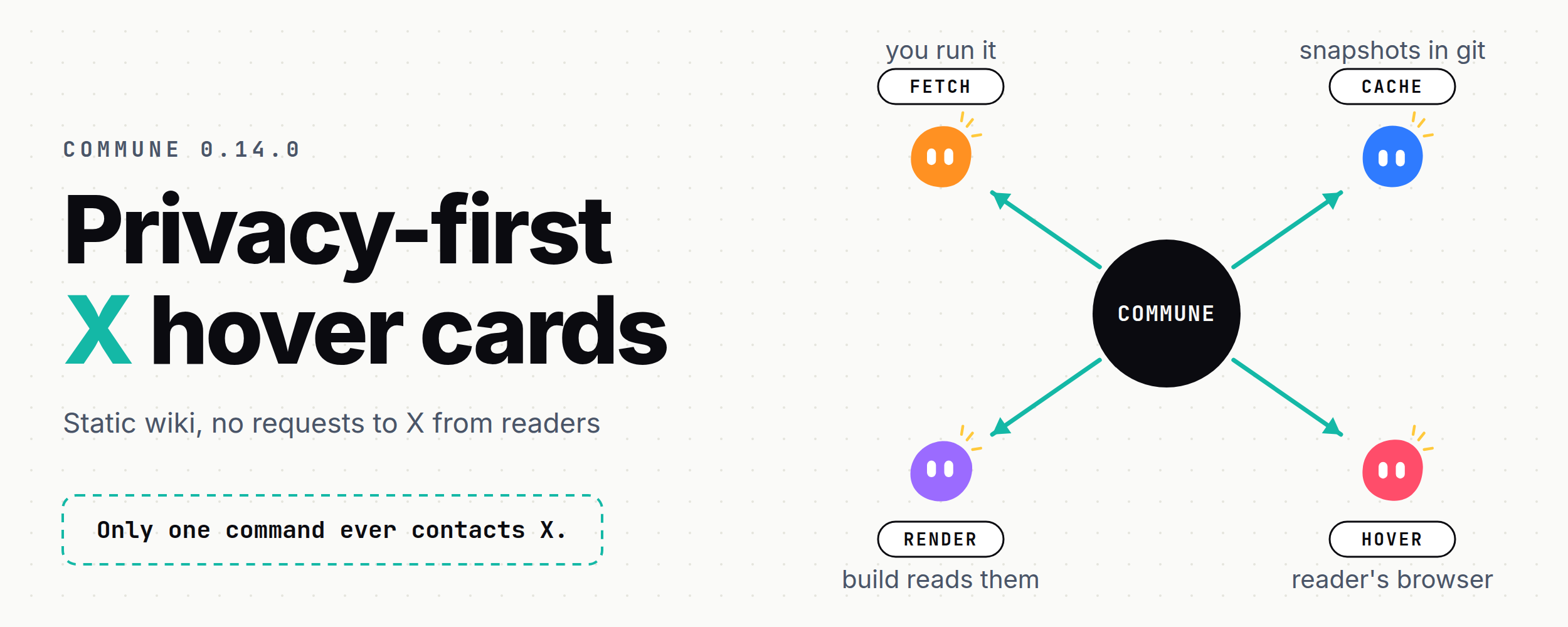
What an ordinary embed costs.
When I paste a post from X into a page the usual way, I get an embed. It looks fine, but it works by loading a script called widgets.js from X into every page that shows it. That script then makes more requests to X while the reader is looking at my page.
Any request to X tells X something. It sees the reader’s IP address. Browsers usually send the address of the page as a referrer. X can also set and read its own cookies. I have not measured one specific page for this note. These are things a request to X allows, and I would rather not hand them over for a quote I wanted to show.
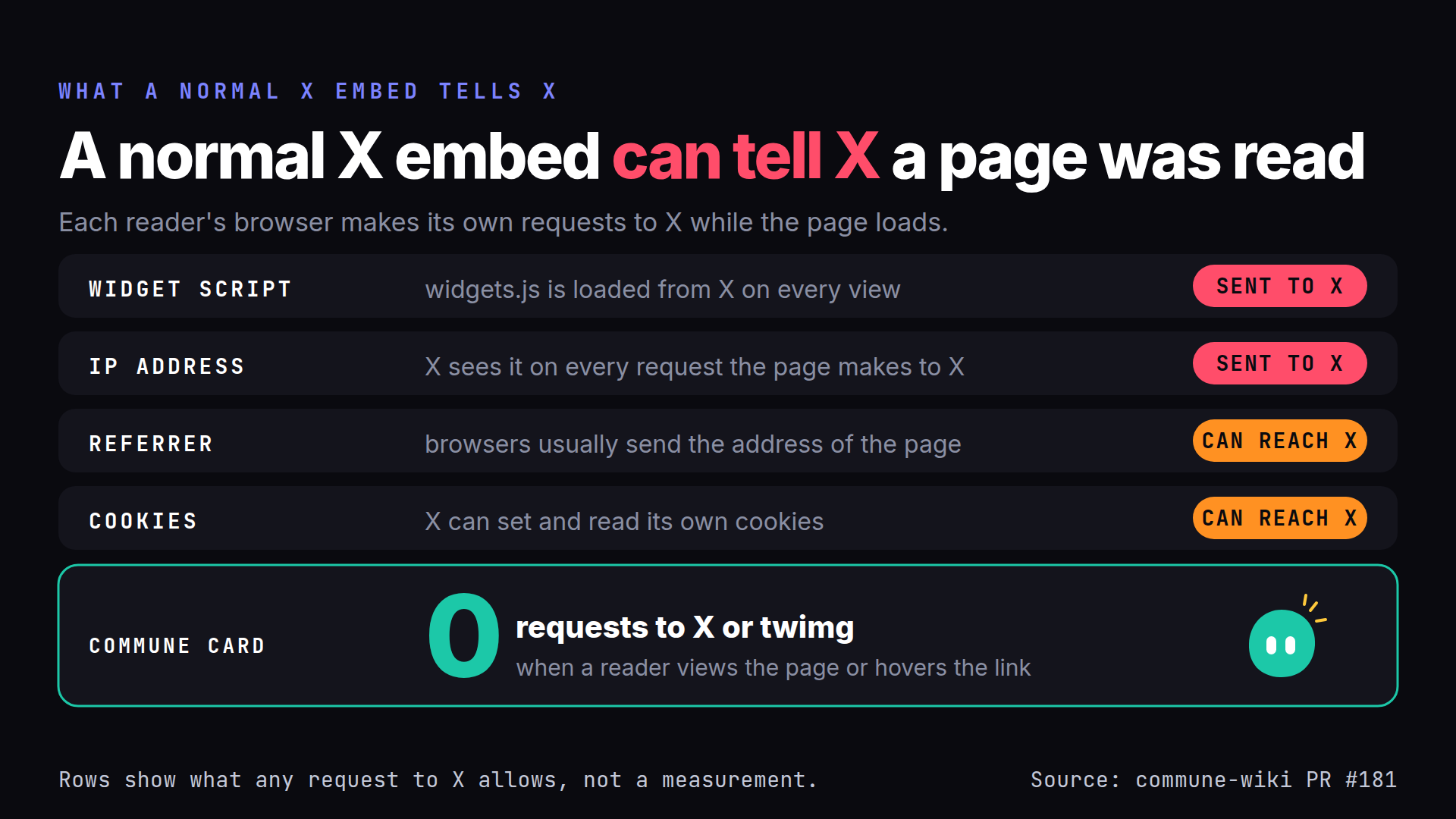
The footnote on that image says the same thing in short. The red and amber rows describe what is possible, not a measurement. The teal row is how Commune is built. It comes from the description of the change that added the feature, commune-wiki pull request 181.
What Commune does instead.
Commune 0.14 can show a card when a reader hovers or focuses a link to a post on X. The card has the author, the text, the date, any images and an “Open on X” link. There is no new markdown syntax. A bare link or a normal markdown link to an x.com or twitter.com status gets the card.
The trick is to do the asking once, ahead of time, and keep the answer. I run one command.
npx commune embeds fetchIt finds the post links in my notes and saves one snapshot for each under .commune/embeds/x/, a small JSON file with the text, author, date and image list, plus the images themselves. I commit those files like any other file in the wiki.
The build only reads the snapshots. It never contacts X. A reader’s browser never contacts X either. The page loads no X script and no X image, because the images are copied into the build and served from my own site. commune embeds fetch is the only code that makes a request, and it only runs when I run it. By default it fetches a post that has no snapshot or whose snapshot is older than 30 days. --refresh fetches everything.
If a post has no snapshot, the link stays a plain link and the build prints a warning. It does not fail.
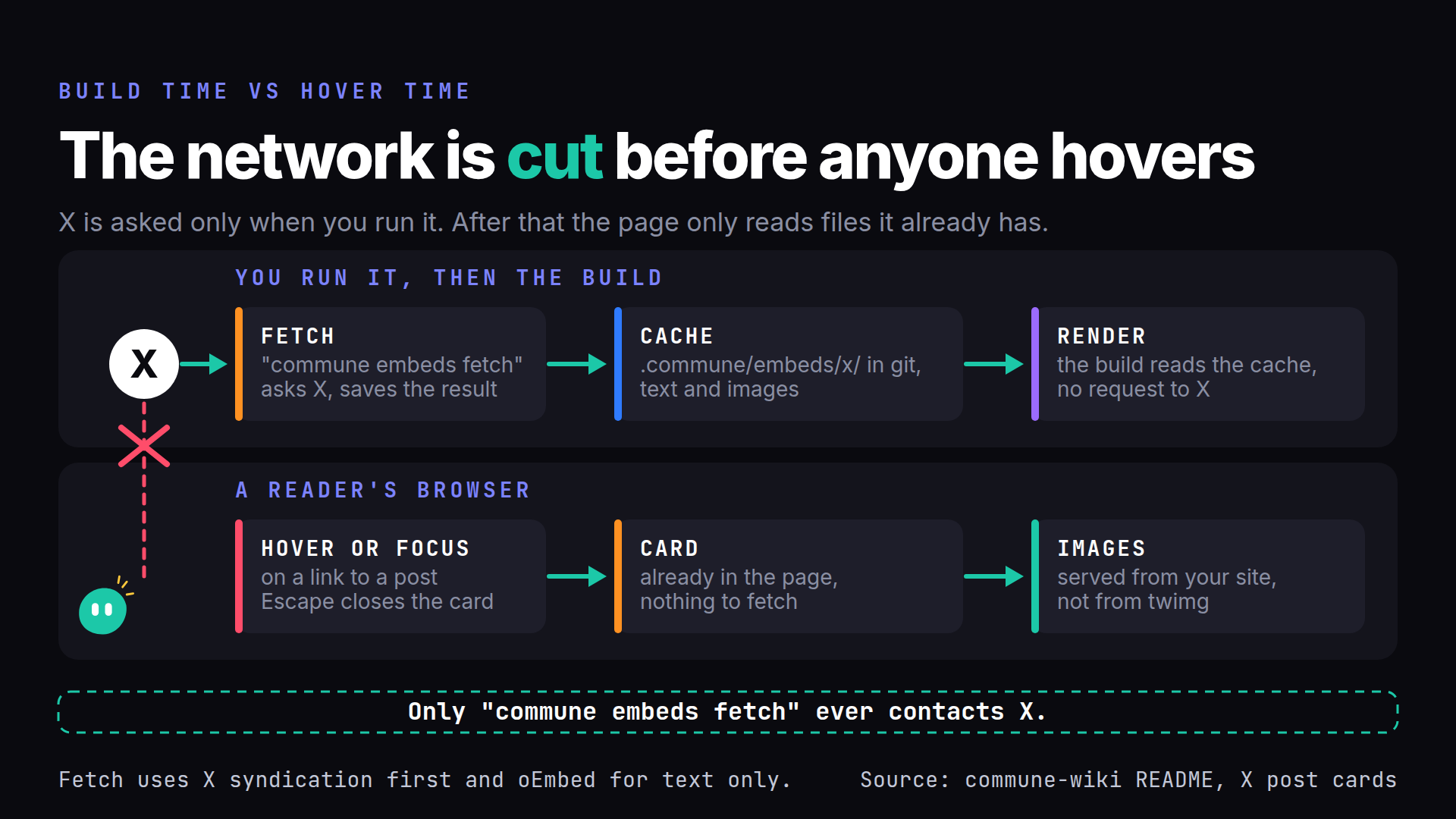
Where the data comes from, and how it can break.
The fetch tries X’s syndication endpoint first. It needs no key and returns the text, the date, the author and the images. It is also undocumented, so X can change it or block it without warning.
If syndication fails, the fetch falls back to oEmbed, which is documented and stable. It only gives me the text, the author and a date down to the day, and it has no images. If neither source answers, nothing is written and nothing breaks.
That is why the snapshots are committed. If the endpoint stops working, only posts I capture after that are affected. Every card I already have keeps working, because it never asks X again.
There is a third source I have not built, the paid X API. It would return everything with a key, and the design keeps room for it as an optional adapter. It costs money, so it is not part of this release.
When a post is deleted.
I decided that a deleted post keeps its captured text. If a later fetch finds the post gone, the snapshot keeps the text, the author and the date, and the card says “Removed from X, captured” followed by the date.
I made that choice for my own sites. It means a quote I linked to stays readable after the author takes it down, and I know that is a decision about someone else’s words. So the option is off by default, and the Commune README tells other site owners to make the same call themselves, with the authors’ rights in mind. Keeping a deleted post’s words and serving a copy of its images are both the site owner’s choice. Deleting its snapshot removes the card and leaves a plain link.
How the hover card behaves.
The card reuses the hover card that already shows previews of linked notes, the idea in Preview panes preserve reading flow. Each card is hidden markup placed right after its link and tied to it with aria-describedby, so there is nothing to fetch when it opens.
- With a mouse, hovering the link opens the card and leaving it closes the card.
- With a keyboard, focusing the link opens the card and Escape closes it.
- On a touch screen, the first tap opens the card, which carries an “Open on X” link. A second tap on the link, or a tap on Open on X, goes to X. A tap anywhere else closes the card.
- Without JavaScript, the link is just a link with a small X icon in front of it.
Animation is off for readers who ask for reduced motion, and the colours come from the site’s existing theme.
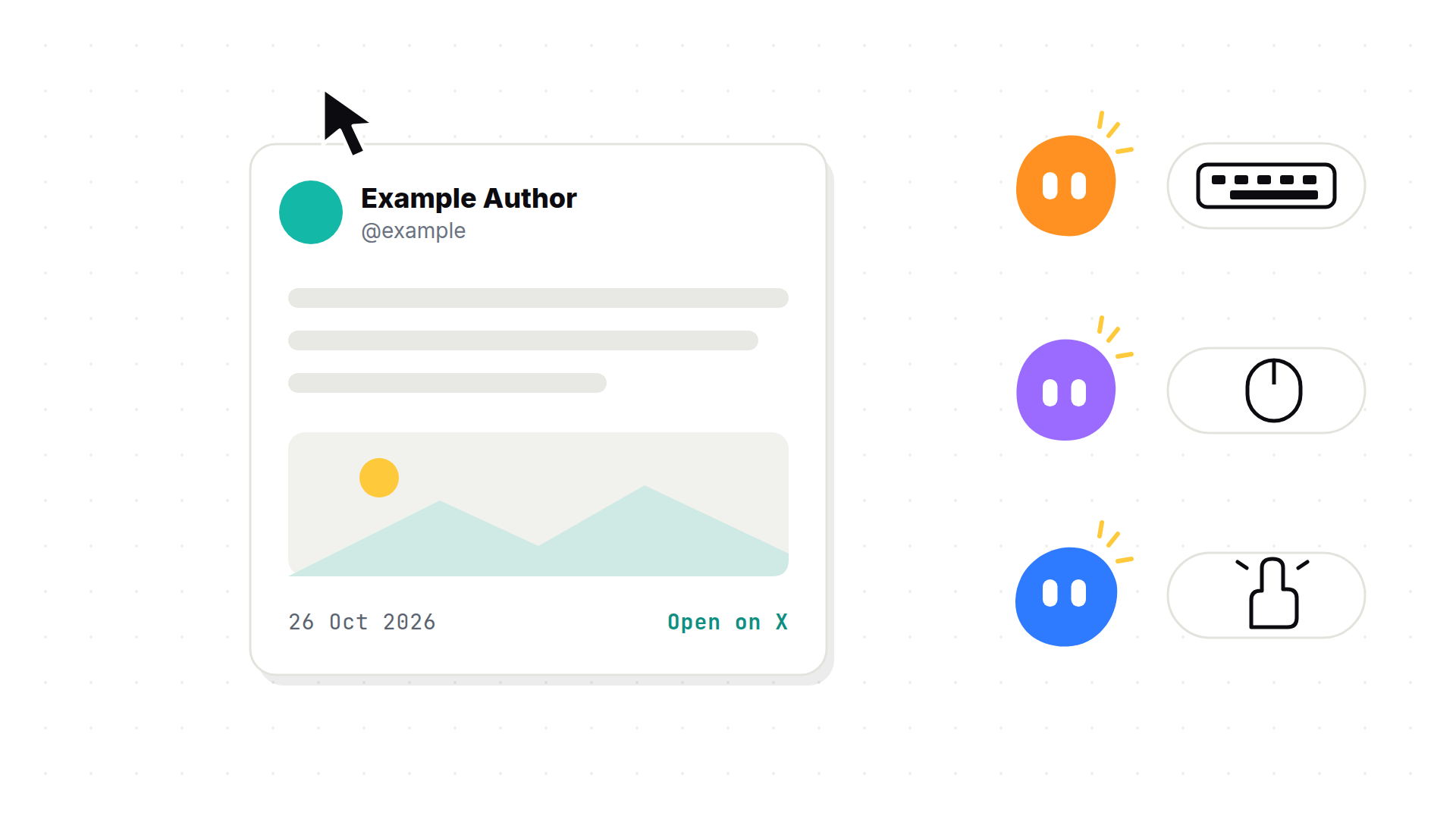
The card in that image is a mock. It shows no real post.
How to turn it on.
It is off by default. With it off, a site’s content builds byte for byte as it did before, and a test checks that. To turn it on, pass one option to the markdown pipeline. It decides which links get a card, and the build then copies in the snapshot images those cards use.
markdown: { processor: communeMarkdown({ site, embeds: { x: true } }) },Then run npx commune embeds fetch, commit the .commune/embeds/x/ folder, and build. In 0.14.0 the option had to be given twice, and with only one of the two the images went missing. Commune 0.14.1 fixed that, and a config that still passes it to commune() keeps working. The rest of the follow-up list is commune-wiki issue 183. It has a clearer warning for an unreadable snapshot, a check of image bytes and not only the header, replies that keep their leading @mention, and long or quoted posts that I have not tested against live data.
What this note does not show.
This site does not show these cards yet. devon.md runs its own copy of the hover panes and is on an older version of Commune, so it needs devon-wiki issue 66 sorted out first. The plan was Commune first and this site second, and so far only the first half is done. Until then the links to X on this wiki are plain links.